About
The About window displays essential details about the software, including version information and a collection of helpful hyperlinks.
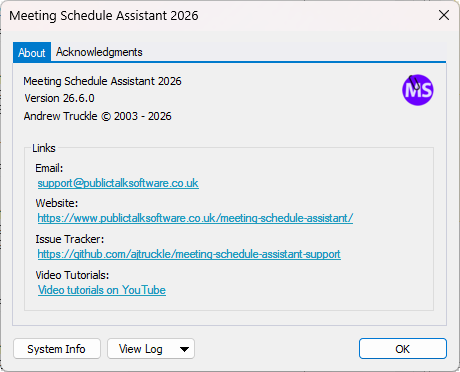
Figure 174. About window for Meeting Schedule Assistant.
Details
- Version information — shows the current version and copyright notice.
- Links — provides quick access to:
- Email: support@publictalksoftware.co.uk
- Website: Meeting Schedule Assistant
- Issue Tracker: GitHub Support Repository
- Video Tutorials: YouTube Channel
Acknowledgements
Select the Acknowledgements tab to view credits for icons and supporting tools used within the application.
System Info
Click System Info to display detailed information about your computer and the installed components of Meeting Schedule Assistant.
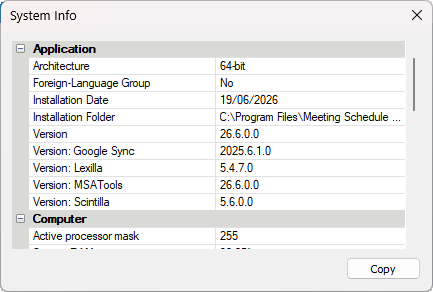
Figure 175. System Info window.
The information is divided into two sections:
- Application — lists details such as architecture, installation date, installation folder, and version numbers for Meeting Schedule Assistant and its supporting libraries (Google Sync, Lexilla, MSATools, Scintilla).
- Computer — shows system‑level data such as processor mask and operating system details.
You can click Copy to copy all displayed information to the clipboard. This is especially useful when troubleshooting issues or providing technical details in support requests.
View Log
The View Log button provides quick access to available logs:
- Application log
- Google Calendar log
- Google Mail log
- Outlook Calendar log
Additional options include:
- Browse logs… — opens the logs folder
- Browse installation logs… — opens the installation logs folder
- View latest installation log — opens the most recent installer log directly
These options are only enabled when relevant logs exist.