Subscribe to the Newsletter
Subscribing to the newsletter is one of the easiest ways to stay informed about new features and updates.
When signing up:
- Select all the software applications you want to receive newsletters for — such as Meeting Schedule Assistant, Public Talks, Visits Rota, or Cross Platform (iOS / macOS / Android).
- Under Privacy Permissions, make sure to tick Email so that you can receive newsletters in compliance with GDPR requirements in the United Kingdom.
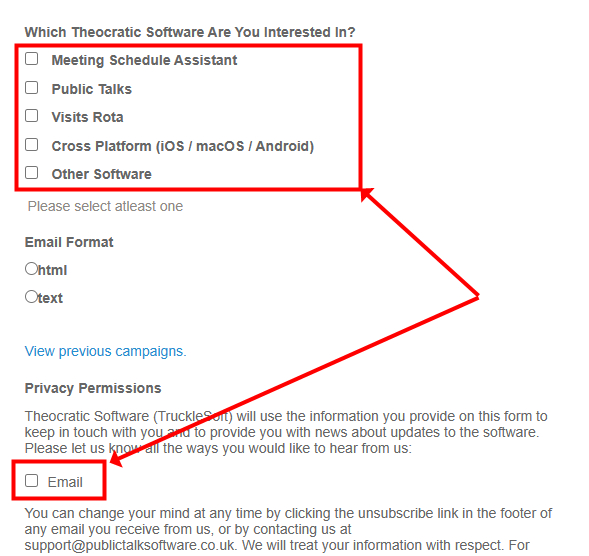
Figure 179. Newsletter subscription form — select your software interests and enable Email under Privacy Permissions.
You can unsubscribe at any time using the link provided in each email or by contacting support directly.
To subscribe, visit the Newsletter Signup Form.